 Little knight
- I’m the little knight. I hop rocks and slash
GAME CREATION FOR THE CLASSROOM
Give your students a challenge worth making their own: design a game, play it, then make it better. A 45-minute activity with a visual Game Board and AI assistance.
Little knight Goblins
 Skull knights
OUR APPROACH TO LEARNING
You want your students to understand technology—and be able to create with it. Makerplay starts with a challenge they can care about: turning their own game idea into something that works.
What can the player do? What happens when two characters meet? Students turn an idea into specific instructions another person—or a computer—can follow.
Characters, objects, and rules become game cards on a visible board. Students can inspect their design, explain how the pieces fit together, and change one part at a time.
Does it work as intended? Is it fun? Is the challenge fair? Students play, notice what falls short, and decide what to change—then test again.
They practice expressing ideas clearly, breaking a problem into parts, and using their own judgment to improve the result.
YOUR CLASSROOM, AT A GLANCE
Use the ready-to-go lesson guide, share your class code, and let students start creating. Your teacher view keeps their games in one place, so you can follow their progress and choose a few to play together.
Student access is through the class code—no student email address or password required. Keep your teacher link private.
Read the teacher guide →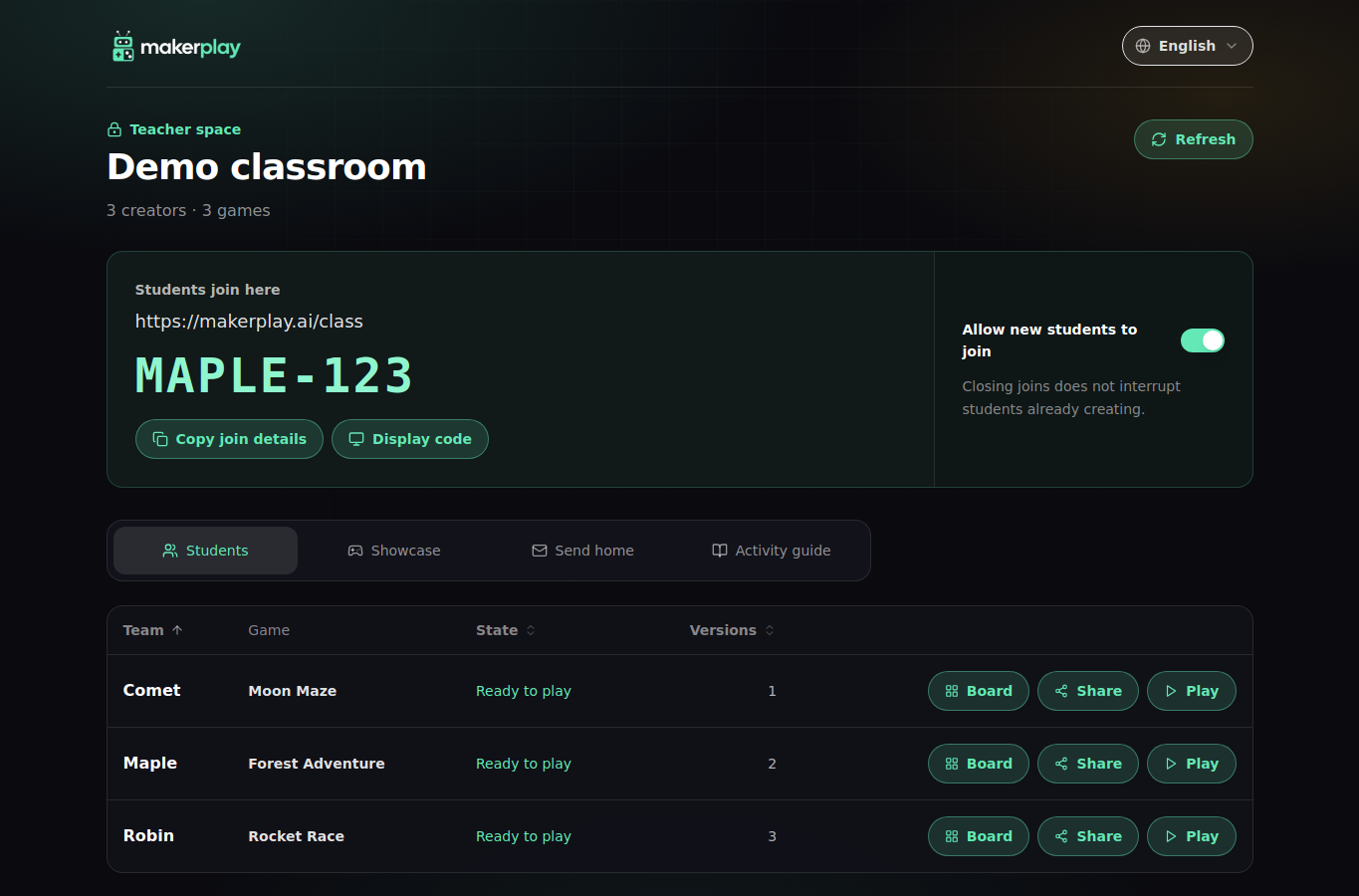
THE PRACTICAL DETAILS
No coding experience is needed. Students work with ideas, written rules, and a visual board. The activity gives them practice describing, testing, and revising a design; it is not a course in writing a conventional programming language.
A computer, Chromebook or iPad with an internet connection for each student or pair. Test the school’s devices and network beforehand. Arrange any approvals your school requires before the session. The guide includes a simple lesson plan.
The AI coach helps students describe their ideas, and the builder turns them into a playable game. Students test the result, explain what they want to change, and work with the coach to improve it.
Students join with a class code and a nickname—no student email address or password needed. Makerplay creates an anonymous sign-in to keep their work connected to their browser. Keep personal details out of game cards and chat. Our Privacy Policy explains how data is handled.
Classroom games stay out of the public arcade by default. An explicit play link can be shared outside the classroom and opened by someone who has it. Decide what to share with your school before giving out any links.
Yes. You can send students a link to play their classroom game at home. With a parent or guardian, they can also create a home account to recreate their game or start making new ones.
You’ll receive an email with the next steps for classroom access and any applicable costs or limits. Once you have access, use the guide and class code to run the session independently, at your own pace.
FOR TEACHERS AND SCHOOLS
Help students design, build, and play their own video games in a 45-minute classroom activity. No coding experience needed.
Read the teacher guide →
FROM OUR BLOG
Use a classroom game jam to help students develop their ideas, test their decisions, and improve what they build. See how to run the activity with your class.
Read the article